
WhatsApp Help
How the WhatsApp flows work
The michmieten Assistant guides you through every rental inquiry on WhatsApp. Here's exactly what happens at each step.
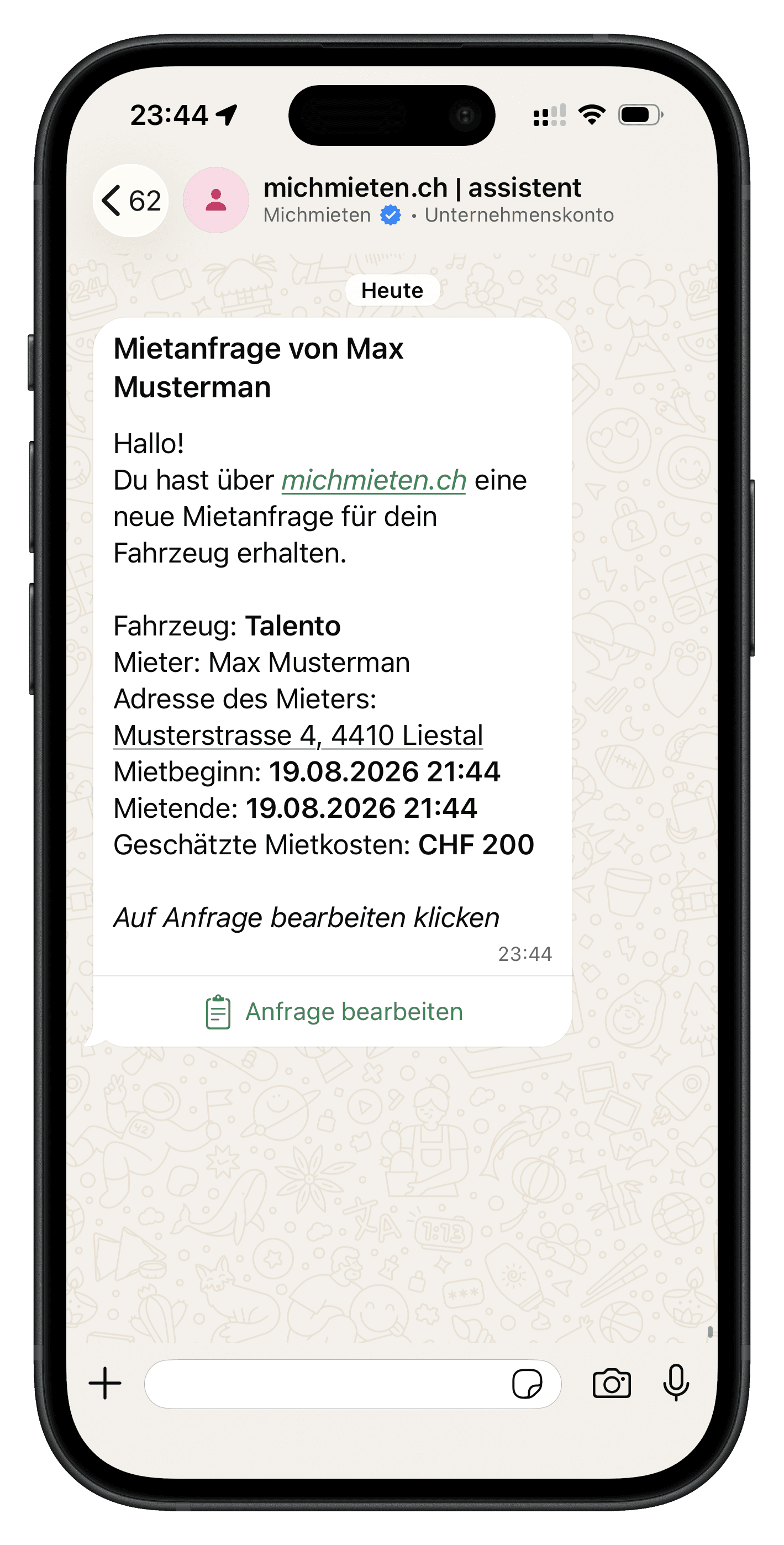
Receive an inquiry
As soon as someone requests your vehicle, the assistant sends you a message with the renter's name, the time period and the price.
Screenshot coming soon
Accept an inquiry
Reply directly in WhatsApp to confirm the inquiry. The rental agreement is created automatically and sent to your renter.
Screenshot coming soon
Adjust the price
Want to offer a different price? Include a new amount in your reply before confirming the inquiry.
Screenshot coming soon
Decline an inquiry
Doesn't fit your schedule? Decline the inquiry directly in WhatsApp, the renter is notified automatically.
Screenshot coming soon
Cancel a booking
You can still cancel an already accepted booking if needed, before the rental period begins.
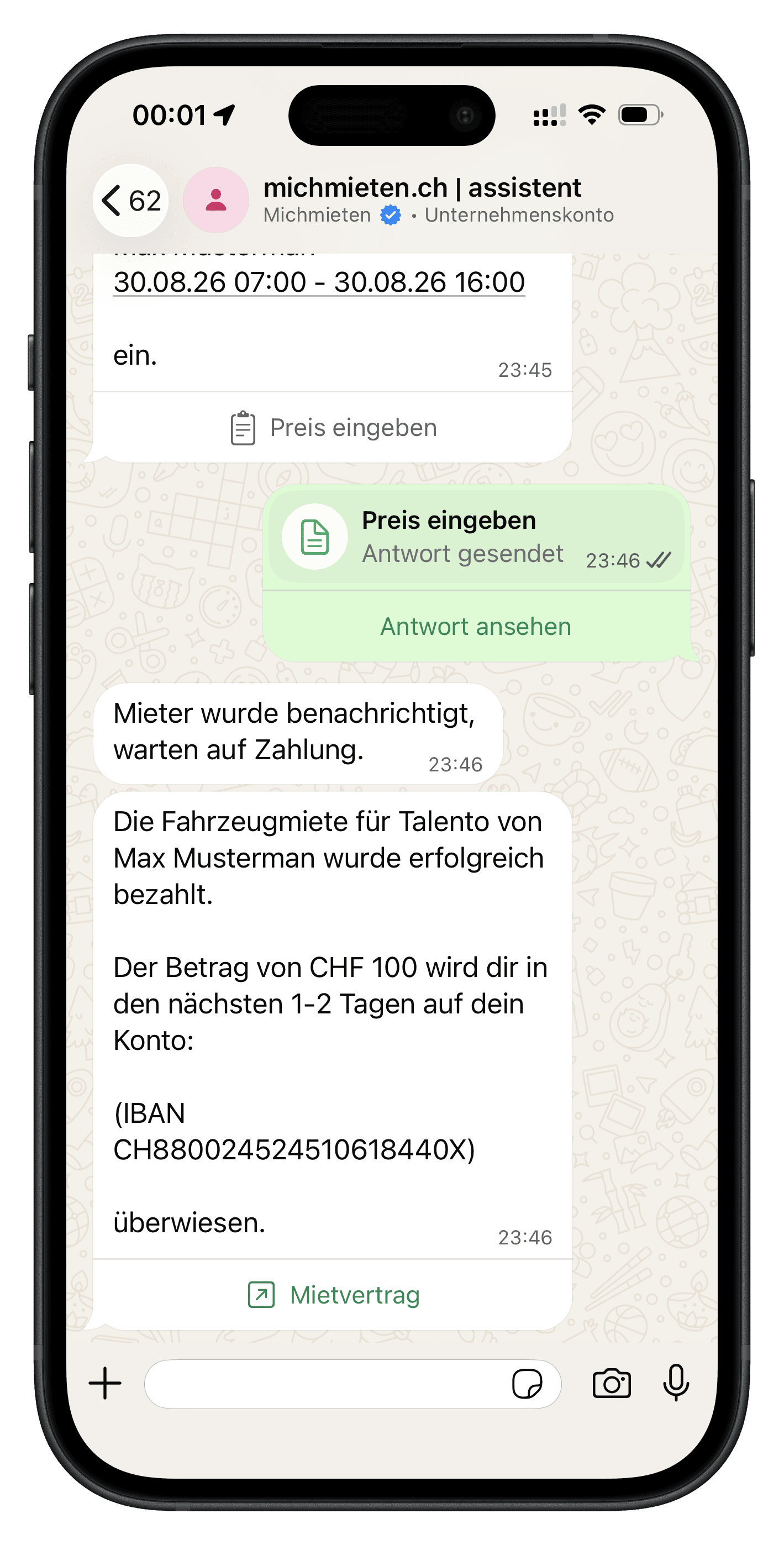
Payment confirmed
As soon as your renter has paid, the assistant notifies you on WhatsApp. Your share is transferred to your bank account within one to two business days.
More questions about the assistant are answered on our FAQ page
Become a host
Switzerland's platform for private vehicle rentals.
michmieten.ch
Lärchenstrasse 3
4410 Liestal
UID: CHE-227.795.534