
michmieten.ch | assistant
Handle rental requests straight in WhatsApp
Receive rental requests in the chat and decide whether to accept, adjust the price or decline. The assistant informs you once the rental has been paid.
- You decide in the chat
- No switching to the website
Original demo on the iPhone, without sound.
From request to confirmation
How the assistant works
How a rental runs from the request arriving to the payment.
01
Receive the request
Vehicle, renter, period and total price arrive as a message.
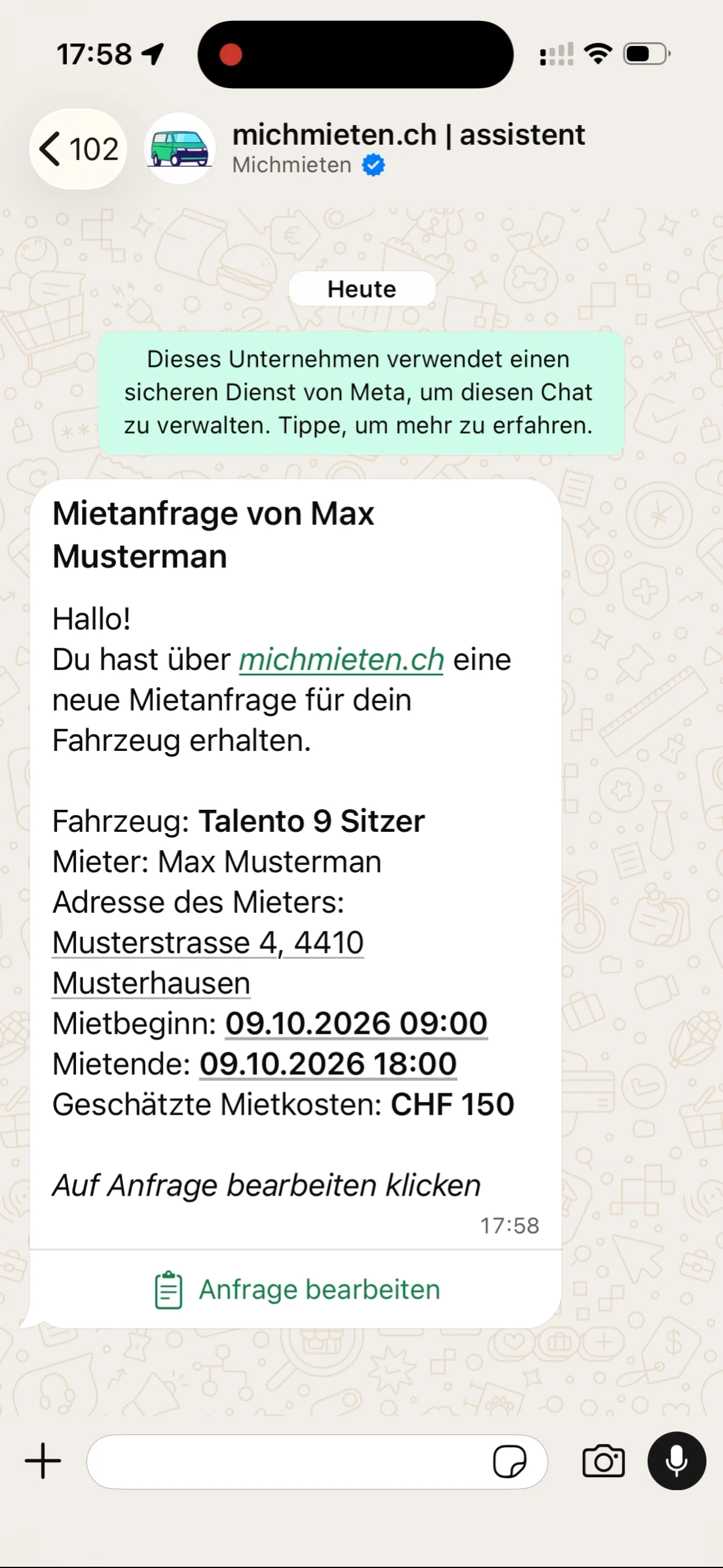
02
Decide in the chat
Open "Anfrage bearbeiten" and pick the answer that fits.
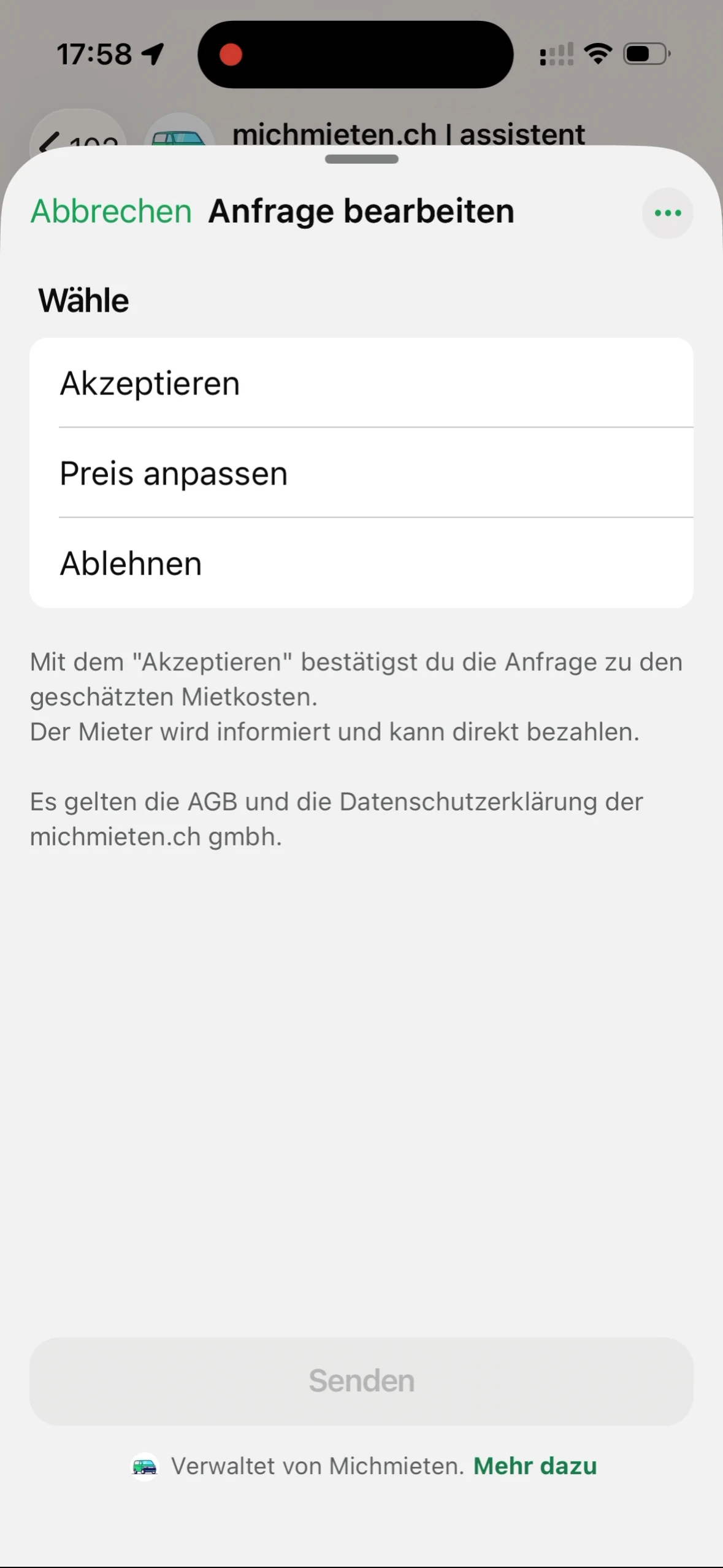
03
Payment confirmed
The assistant writes again as soon as the rental is paid.
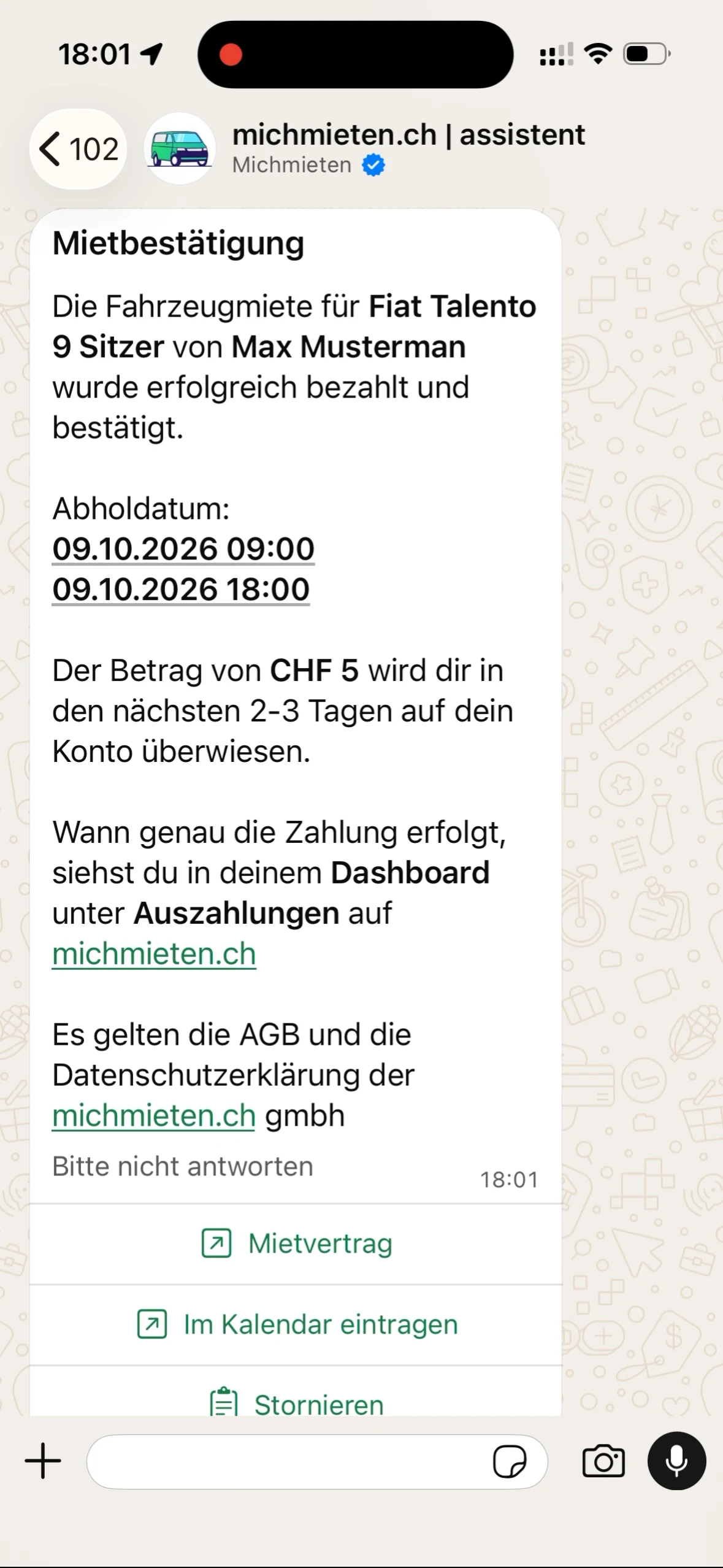
Example views from the michmieten assistant.
In the chat
What happens after your answer?
The original recordings show each step in WhatsApp.

Receive request
Review vehicle, renter, period and estimated price. Then open Edit request.
All amounts are examples.
Another question?
The help page answers the common ones and leads back into the matching flow.

Switzerland's platform for private vehicle rentals.
michmieten.ch
Lärchenstrasse 3
4410 Liestal
UID: CHE-227.795.534


